SpinBond Mobile Casino: Browser Play on iPhone and Android
 Available in GB
SpinBond supports browser-based play on Android and iOS devices. That is the useful mobile fact to start with. A native SpinBond app is not verified, so there is no reason to treat an App Store or Google Play download as part of the normal mobile path. On a phone or tablet, the practical route is the SpinBond website in a current mobile browser.
This distinction matters because casino pages sometimes use the word “app” loosely for a mobile-optimised website. A responsive site can still provide game browsing, account access, cashier functions and support without installing software from an app store. For Australian readers, the better question is not “Where is the SpinBond app?” but “Can the tasks I need be completed cleanly in the browser?” That is what this mobile review evaluates.
Table of Contents
- Browser site and native app are not the same thing
- What browser-first access changes on iPhone and Android
- Task 1: browsing the game library
- Task 2: checking the cashier on a small screen
- Task 3: account access and registration on mobile
- Task 4: getting support from a phone
- A practical compatibility checklist
- Why “no download required” is often the better mobile experience description
- Mobile access does not change the Australian legal context
- Bottom line
- Related SpinBond guides
Browser site and native app are not the same thing
A native app is software installed through a platform such as Apple’s App Store or Google Play. A mobile website runs inside Safari, Chrome or another browser. Both can be designed for a small screen, but they differ in installation, updating, permissions and where the user starts each session.
SpinBond’s verified mobile access belongs in the second category. Independent mobile-focused sources describe Android and iOS browser access, and current brand pages are designed to be reached through the website. The presence of words such as “mobile casino” or even “app” on a third-party page does not by itself prove that a native package exists.
That terminology protects users from a practical mistake. Searching for an unverified APK, sideloading software, or following an unofficial store link can expose a device to unnecessary risk. If SpinBond later publishes a genuine native app, the safest evidence would be a current store listing tied to the brand and an official brand link to that listing. Until then, browser access is the defensible route.
What browser-first access changes on iPhone and Android
Browser-first use removes one layer of setup. There is no confirmed native installation to manage, no separate app update to install, and no need to give a casino app additional device permissions simply to reach the service. The account is accessed through the website using the same login relationship as desktop use.
That does not mean every phone, browser version or feature behaves identically. Mobile compatibility can depend on screen size, browser support, network quality and the game supplier. SpinBond’s terms also reserve the possibility that service availability can vary by device or supplier. The sensible approach is to assess the functions you actually plan to use rather than assume “mobile supported” means every screen is identical to desktop.
On iPhone, use a current browser such as Safari or another maintained iOS browser. On Android, the same principle applies to Chrome or another actively updated browser. Keeping the operating system and browser current is a security and compatibility habit, not a promise that any particular casino page will load at a measured speed.
Task 1: browsing the game library
The mobile experience needs to make the game catalogue usable without requiring a native app. SpinBond offers slots, table games including blackjack and roulette, and live-dealer games. Those categories are enough to test the main browsing path without repeating the full catalogue covered in the dedicated SpinBond games guide.
On a phone, check whether the navigation keeps category choices reachable, whether game tiles remain readable, and whether returning from a game to the lobby is straightforward. These are observable usability questions. Claims such as “instant loading”, “zero lag” or “identical desktop performance” would require controlled testing and should not be assumed from responsive design alone.
Orientation can matter. Some game interfaces are easier to read in landscape while account and cashier screens can be simpler in portrait. If a game asks for rotation, treat that as a game-interface requirement rather than evidence that the site is broken. A browser tab should also be closed or logged out when the device is shared.
Task 2: checking the cashier on a small screen
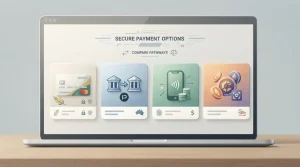
SpinBond’s core payment list includes Bitcoin, eZeeWallet, Mastercard, Neosurf and Visa. The practical mobile question is whether the cashier displays the method available to the actual account, the transaction direction, the currency and any limits or notices clearly before confirmation.
A small screen makes it especially important not to rely on a remembered method list. Deposit and withdrawal availability can differ, and a payment route visible in a general information page is not automatically available to every account. The broader SpinBond payment methods guide separates official methods from Australia-facing corroboration and explains why the live cashier remains the final check.
For mobile banking or crypto transfers, confirm destination details while the current cashier session is open. Do not copy an address, PayID destination or wallet string from an old saved image or another user’s instructions. If the device supports password or biometric protection, use it at the device level, but do not treat biometrics as a substitute for a strong account password.
Task 3: account access and registration on mobile
Browser access means account functions can be reached without a separate native app. The important distinction is between access to the registration or login interface and whether a particular country is currently accepted by the live registration form. SpinBond has Australia-facing operational signals and AUD support, but those signals do not prove that Australia is selectable in every current registration session.
Before entering personal details on a phone, check the domain carefully and use a secure network. Avoid signing in through a link received from an unknown sender, and do not allow a shared browser to save credentials. If the page asks for account details that do not match the information you intend to use consistently for payments and later verification, resolve that mismatch before proceeding.
The detailed SpinBond registration guide covers personal account use, identity consistency and account controls. Mobile access does not change those underlying rules; it only changes the device used to reach them.
Task 4: getting support from a phone
SpinBond lists email support at [email protected], and live chat is also available. Current contact information does not support a blanket claim that live chat is available 24/7, so treat chat as an availability-based channel and email as the more durable written route for account or document follow-up.
Mobile support is useful when an issue appears during a cashier or login session because an image can capture the exact message shown on the device. Redact balances, payment details, identity documents and security codes before sending any image unless the support process specifically directs you to a secure upload route.
If the issue concerns a withdrawal, record the request ID and status rather than describing only that a payment is late. If it concerns a game, note the title, device, browser and what happened. Clear context makes the support question more useful without disclosing passwords or authentication codes.
A practical compatibility checklist
- Use a current Android or iOS version that still receives security updates.
- Use a maintained mobile browser and allow only the permissions the site actually needs.
- Check that the address bar shows the intended SpinBond domain before logging in.
- Try both portrait and landscape if a game interface is cramped.
- Keep enough free device memory for normal browser operation, but do not install unofficial “booster” or casino APK files to solve a website issue.
- Use a trusted network for account and payment activity. Public Wi-Fi adds avoidable exposure.
- Check the cashier screen itself before any transfer because method availability can vary by account and location.
- Log out on shared devices and avoid saving casino credentials in a browser profile used by other people.
The same practical checks apply across devices. SpinBond does not publish stable minimum requirements for a specific iPhone model, Android version, RAM amount or measured connection speed, so compatibility should be checked on the device and browser you actually use.
Why “no download required” is often the better mobile experience description
A browser-first casino can still feel app-like because modern responsive websites can use full-screen layouts, touch controls and persistent account navigation. That visual similarity is exactly why terminology becomes confusing. A site can be optimised for mobile without becoming a native application.
For readers, the distinction affects trust and maintenance more than appearance. A website is reached through a known domain and updates on the server side. A native app has a developer identity, a store listing, version history and device permissions that can be inspected. If those app-specific markers are not independently verifiable, the word “app” should not be used as proof of a native product.
Bookmarking the official website or adding a browser shortcut to the home screen can make repeat access faster, but such a shortcut is still not a native SpinBond app. It is simply a link that launches the site in the browser.
Mobile access does not change the Australian legal context
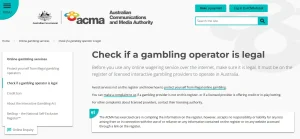
Using a phone rather than a desktop does not alter the regulatory category of an online casino service. ACMA states that the Interactive Gambling Act makes it illegal for providers to offer prohibited online casino services to people in Australia. Browser availability, AUD support or a mobile-friendly layout should not be read as Australian regulatory authorisation.
That legal distinction is covered in depth on the site’s licence and safety material. For mobile use, the immediate lesson is narrower: technical accessibility and legal authorisation are separate questions. A page loading successfully on an Australian phone is evidence of technical access, not evidence of an Australian licence.
Bottom line
SpinBond’s mobile experience is best understood as browser-based access on Android and iOS. A native iPhone or Android app is not verified, so there is no need to chase an unconfirmed download. The useful checks are whether the mobile site lets you browse games, reach the cashier, manage account access and contact support cleanly on the device you actually use.
Keep the browser current, verify the domain, use secure login habits and check transaction details in the live cashier. For the wider product picture, return to the full SpinBond Australia review, compare the game library, or review account rules before using mobile access for registration.
Related SpinBond guides
For related details, see SpinBond Australia review, mobile game library, mobile payments, and account access on mobile.